
DevHotspotBILLING
Billing for WiFi hotspots and internet providers

Hotspot, PPPoE and MAC binding,
billed from one dashboard

Sell WiFi bundles with Mobile Money, renew home and office subscribers automatically, and let fixed devices in by MAC address. Pick the services you run and DevHotspot sets up only what you need.

No card neededSet up in minutesMoney goes straight to your account

Works with MTN MoMo
14 daysfree trial, no card
3 servicesHotspot, PPPoE, MAC binding
5 router typesMikroTik, OpenWrt, pfSense, Omada, UniFi
20 countrieslocal currency and Mobile Money
Pick what you run

One account, the services your business needs

Choose one or all three when you sign up. You only see the pages and tools for the services you pick, and you can add more later.

A customer buying WiFi on his phone

Hotspot

Customers connect, pick a bundle and pay with MTN MoMo or Airtel Money. They are online in seconds.

  • WiFi login page you design yourself
  • Printed vouchers and voucher agents
  • Find-my-voucher, promo banners, loyalty points
  • Live sessions and shared-code protection

Start with Hotspot
An internet provider checking subscribers on his laptop

PPPoE

Home and office lines on monthly plans. Accounts renew on payment and disconnect on expiry, without you lifting a finger.

  • RADIUS accounts created for you
  • Invoices, wallets and an online pay page
  • Expiry reminders by SMS and WhatsApp
  • Leads, support tickets, TR-069 and fiber map
Start with PPPoE
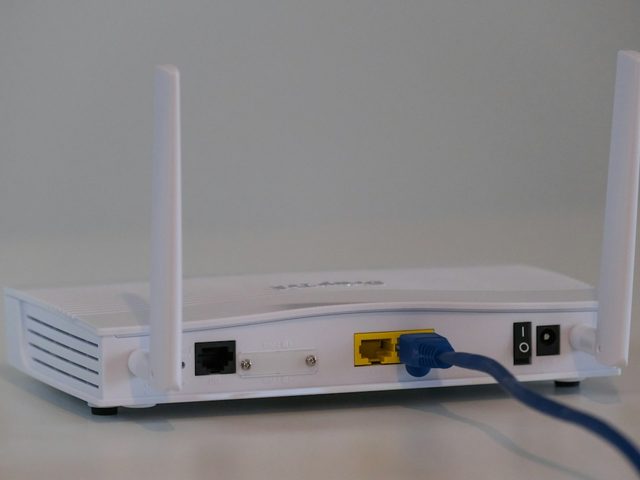
A router on a table

MAC Binding

CCTV cameras, office PCs and point-to-point clients get in by their MAC address. No login screen, still billed on time.

  • Bind a device by its MAC address
  • Speed limits and fair use per plan
  • Same renewals and invoices as PPPoE
  • Pause, block or move a device in one click
Start with MAC Binding
Everything in one place

Built for how WiFi businesses work

From the router script to the receipt, the everyday work is automated so you can look after customers.

Mobile Money built in

MTN MoMo and Airtel Money prompts on the customer's phone. Payments confirm and turn on access automatically.

RADIUS for your routers

Paste one setup script into MikroTik. Users, speeds, data caps and device limits are pushed for you.

Your own login page

Pick a design, add your logo and photo, and preview it live before customers see it.

Vouchers and agents

Print batches of codes, give agents a prepaid float, and see what each one sold.

SMS and WhatsApp

Codes, receipts and expiry reminders go out on their own. Send campaigns to any group of customers.

Invoices and pay page

An invoice for every renewal, wallet credit for overpayments, and a page where subscribers pay themselves.

Reports and Ask AI

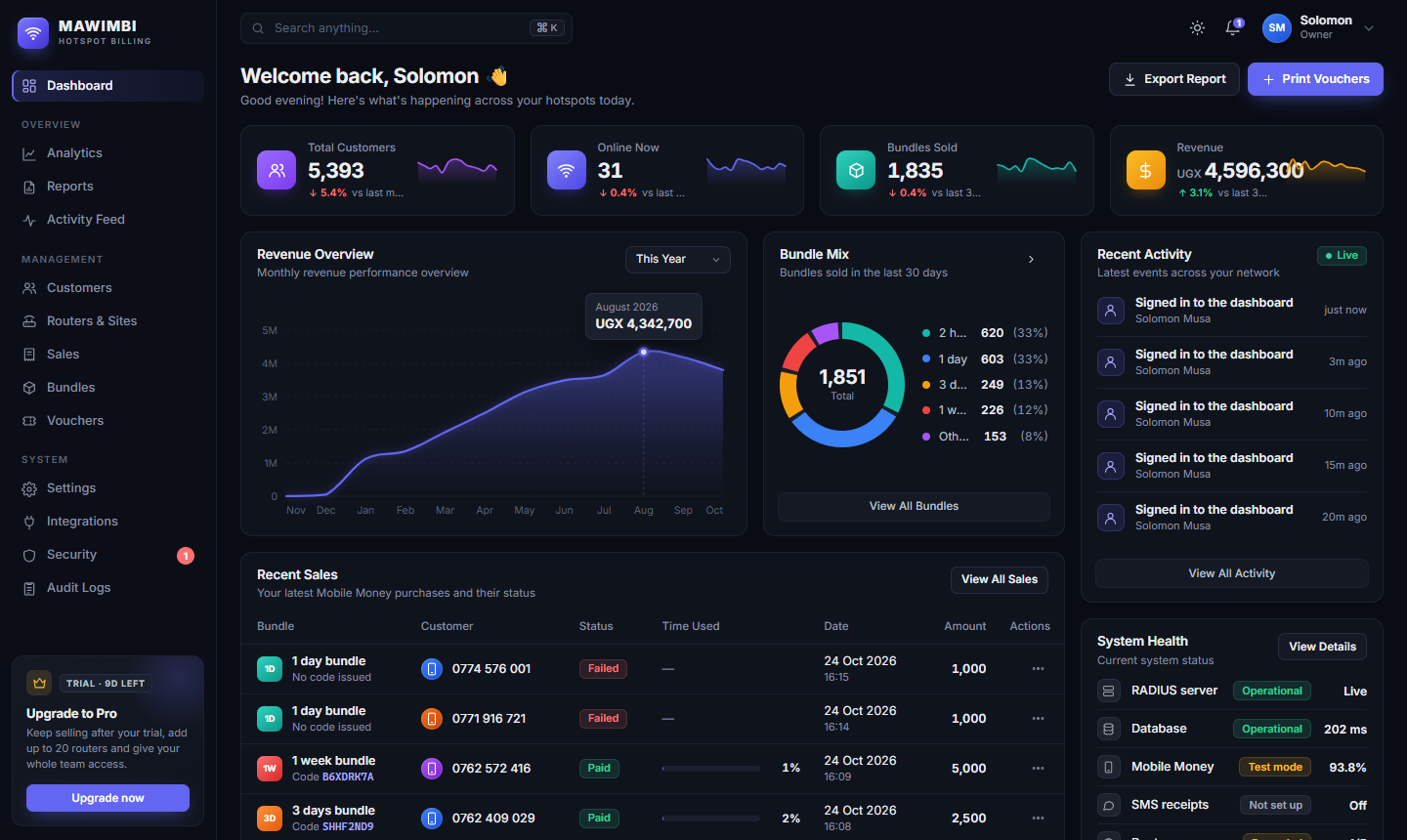
Revenue, best-selling plans and busy routers at a glance. Ask questions about your business in plain words.

Team roles and security

Limit each staff member to Hotspot, PPPoE or MAC Binding. Two-step sign-in and a full audit log.

Up and running today

How it works

  1. 1

    Pick your services

    Create your account and tick Hotspot, PPPoE, MAC Binding or all three.

  2. 2

    Connect your router

    Copy the setup script for your router. It links to DevHotspot over RADIUS.

  3. 3

    Set your prices

    Starter bundles and plans are ready for you. Change names, speeds and prices any time.

  4. 4

    Get paid

    Customers pay with Mobile Money and go online. The money settles into your own account.

Simple pricing

One price, every service included

Hotspot, PPPoE and MAC Binding are on every plan. Plans differ only by how many routers and team members you need. Pay yearly and get two months free.

Starter

One hotspot site getting started

UGX 50,000/month
  • 1 router
  • 2 team members
  • All services included
Start free trial
Most popular

Growth

A few sites and a small team

UGX 150,000/month
  • 5 routers
  • 5 team members
  • All services included
Start free trial

Pro

Many sites, routers and staff

UGX 400,000/month
  • 20 routers
  • 20 team members
  • All services included
Start free trial

Every account starts with a 14-day free trial. If a payment is late you keep selling for 7 more days.

Questions

Frequently asked questions

Can I run a hotspot and PPPoE at the same time?

Yes. Tick both when you sign up, or add a service later in Settings › Services. Each service brings its own pages, and turning one off never deletes its data.

Which routers work with DevHotspot?

MikroTik (with RADIUS), OpenWrt and CoovaChilli, pfSense, TP-Link Omada and Ubiquiti UniFi. Each router gets a setup script or step-by-step guide in the dashboard.

How do my customers pay, and where does the money go?

With MTN MoMo or Airtel Money, through a gateway you connect: Relworx, the MTN MoMo API, Flutterwave or pawaPay. Money settles straight into your own merchant account. DevHotspot never holds it.

Can I limit what my staff can see?

Yes. Owners control payments, team and settings. Staff can be limited to Hotspot, PPPoE or MAC Binding, so a cashier at a hotspot never sees your home subscribers.

What happens when the free trial ends?

Pick a plan and pay with Mobile Money. If you don't, you keep selling for a short grace period, then bundle sales pause until you renew. Your data stays.

How do I get help setting up?

Message us on WhatsApp or call the number at the bottom of this page. We'll help you connect your first router.

Ready to stop chasing payments?

Set up your hotspot or subscribers today. 14 days free, no card needed.